How to configure a sending profile using a local SMTP server (Hogmail)
How to create a custom phishing email template using GoPhish’s {{.URL}} placeholder
How to design and deploy a landing page that captures credentials
How to troubleshoot network and port issues (e.g., phish server not loading due to port mismatch)
How phishing links work within a campaign and how data submission gets logged
The importance of social engineering design- realistic email tone, urgency, and call-to-action

Making an email template. Not the most convincing email, but for the sake of the project, I set up a simple phishing email.
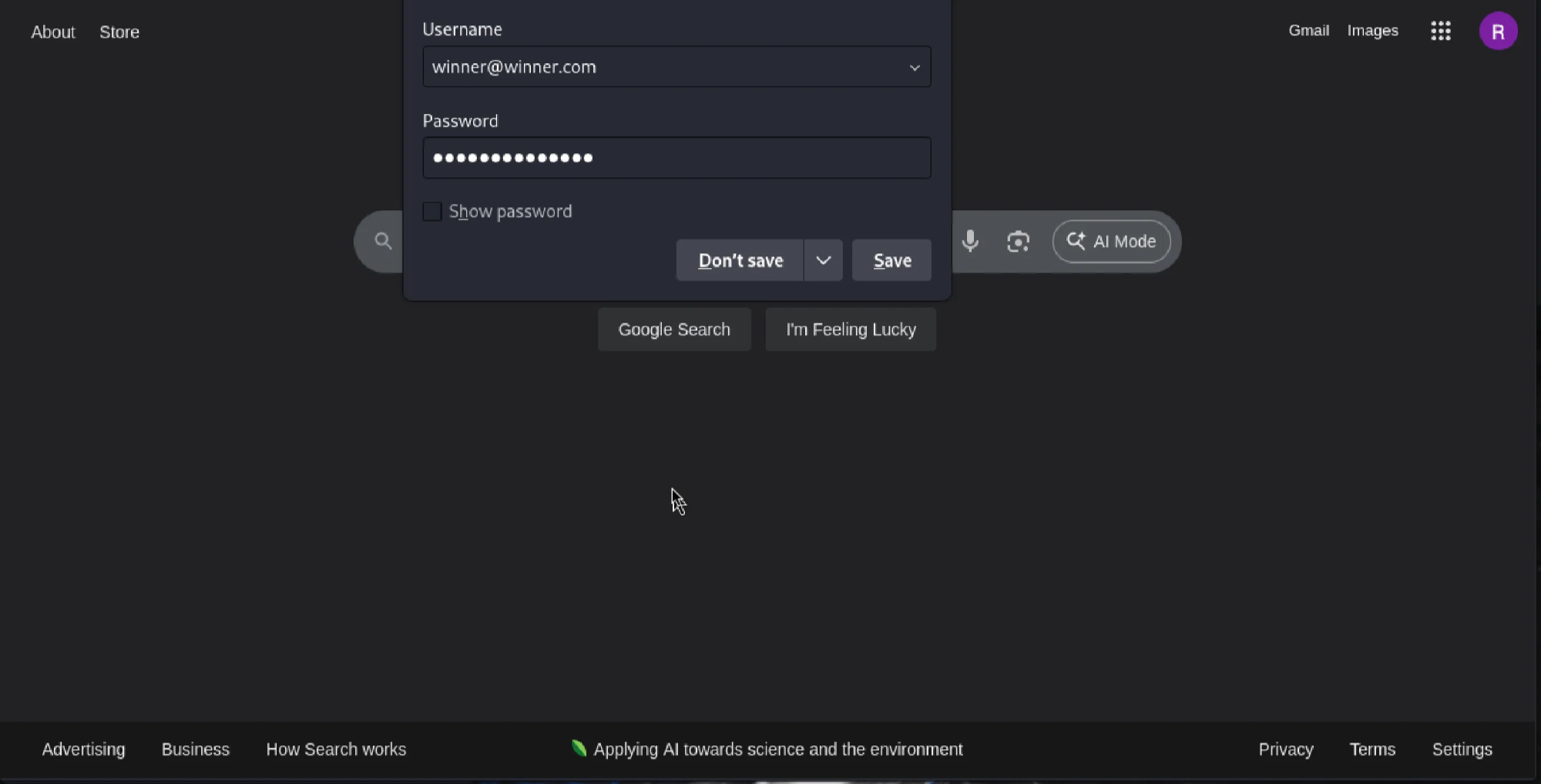
Had the page redirect to Google.com after putting in the credentials.
About the project
This project involved simulating a phishing campaign using GoPhish (a phishing framework) and Hogmail (a fake SMTP server). I created a spoofed $2000 cash reward email, set up a fake landing page that mimicked a login form (prompted an email, a password, and a SSN), and used a controlled test email to capture and log fake credentials. The goal was to understand phishing attack vectors, email delivery mechanics, and user data capture.
What I learned
Challenges faced
I tried to send the phishing email to my personal inbox, but services like Gmail and Outlook blocked the message due to lack of proper SMTP credentials and anti-spoofing protections (like SPF, DKIM, and DMARC). This highlighted the importance of secure email configurations and how difficult it is for malicious actors to reach modern inboxes without being flagged. It also helped me pivot to using a local SMTP viewer (Hogmail) for reliable testing- which turned out to be a better choice anyway.
Walk-Through

A little test before I created the sending profile, email template, group, a landing page, and a campaign.
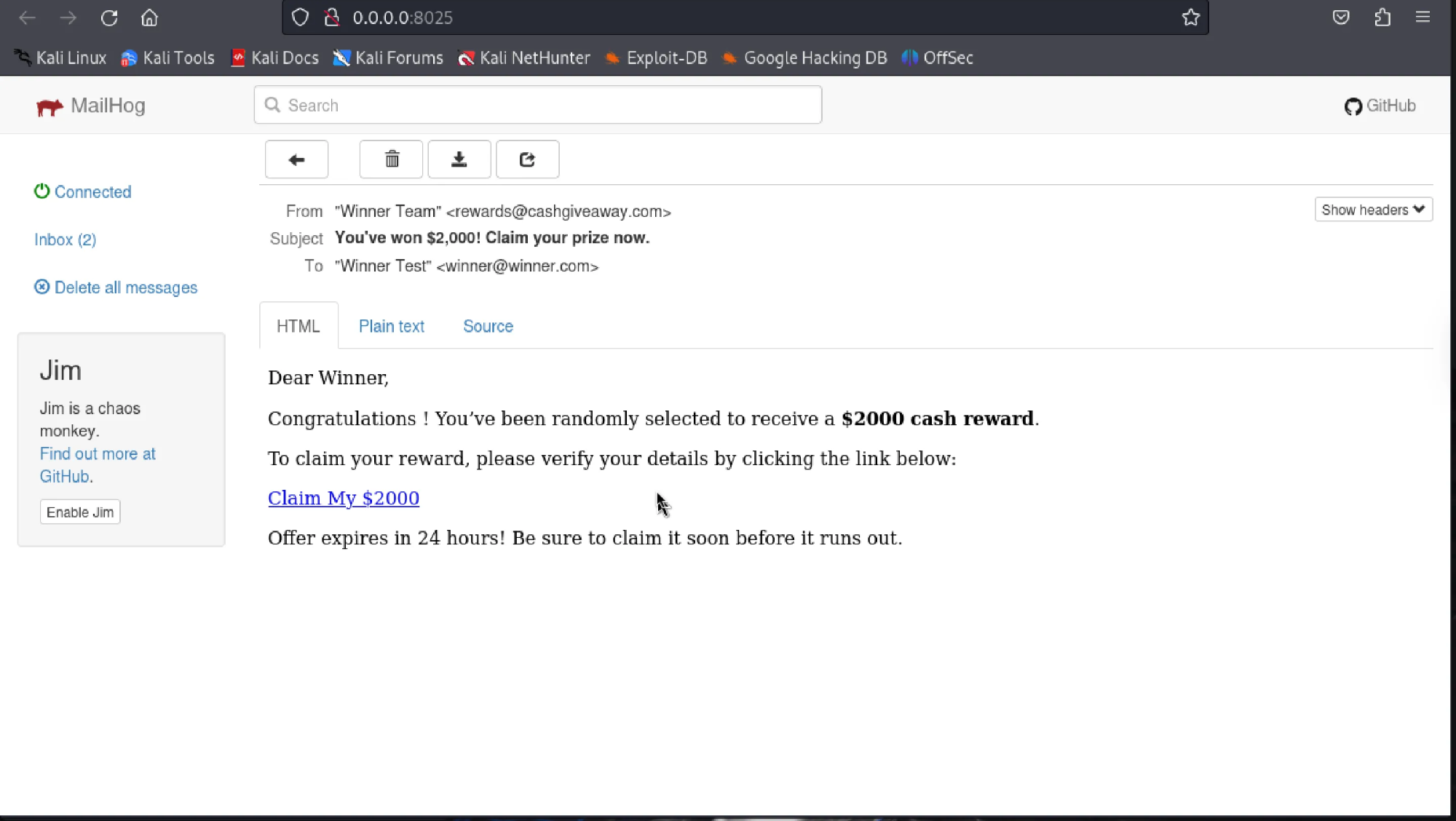
Again, not the most convincing email. Most phishing emails today are significantly more realistic-looking and visually appealing.
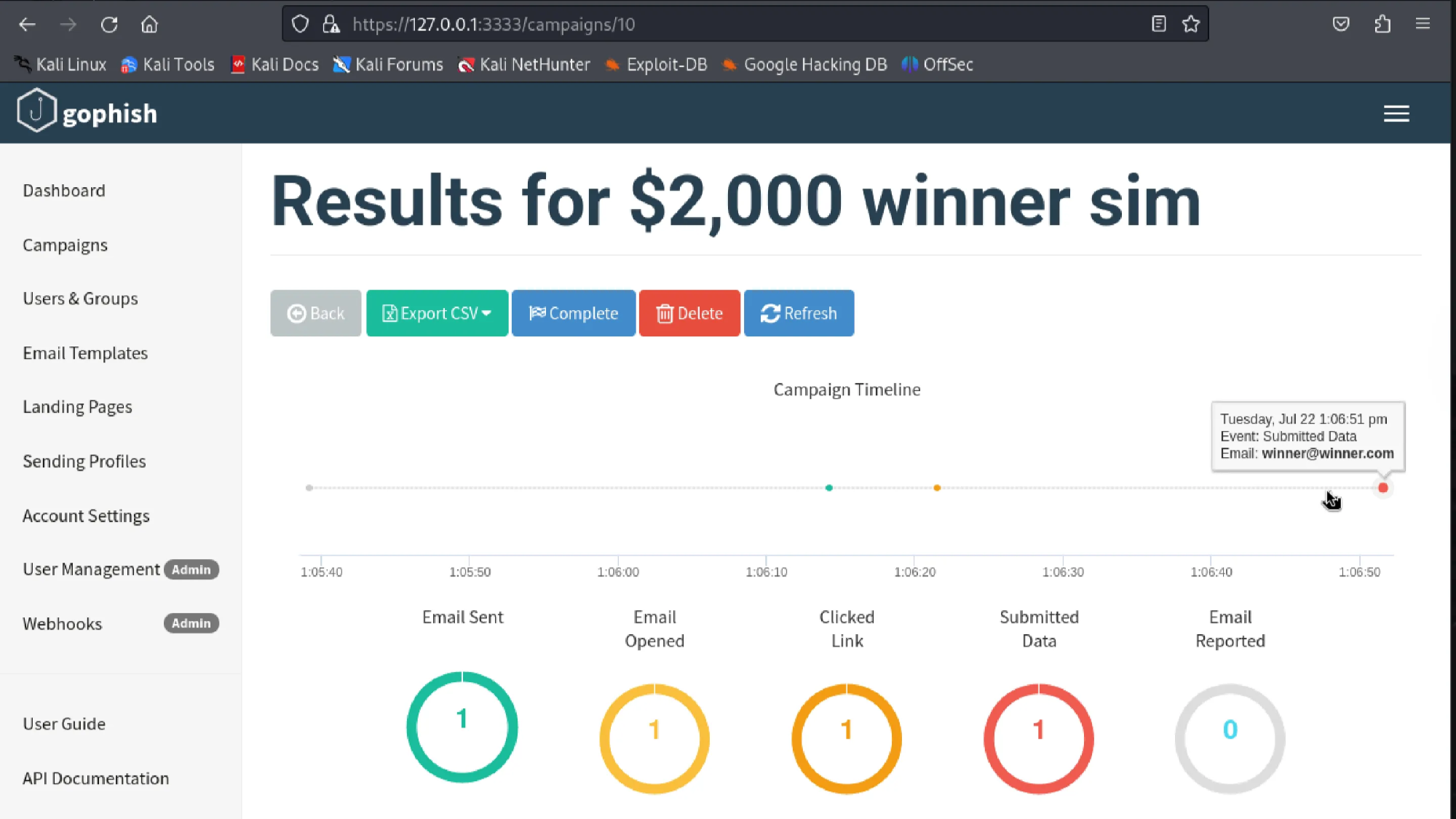
GoPhish has a dashboard that displays whether an email has been sent, if it was opened, if the victim clicked on the link, and if the target submitted any data. It even shows the timeline of when the action happened.
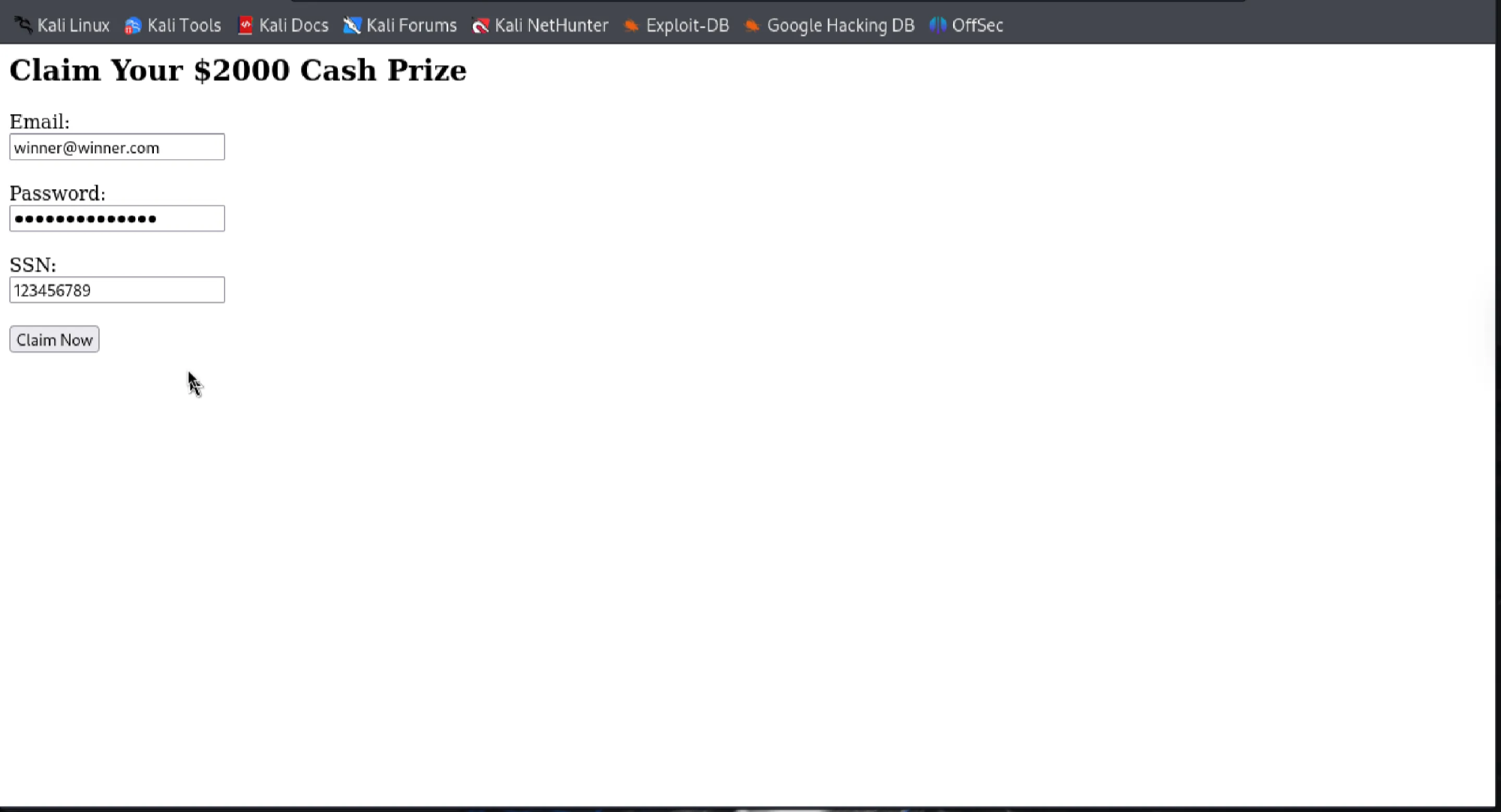
Put in my fake credentials.
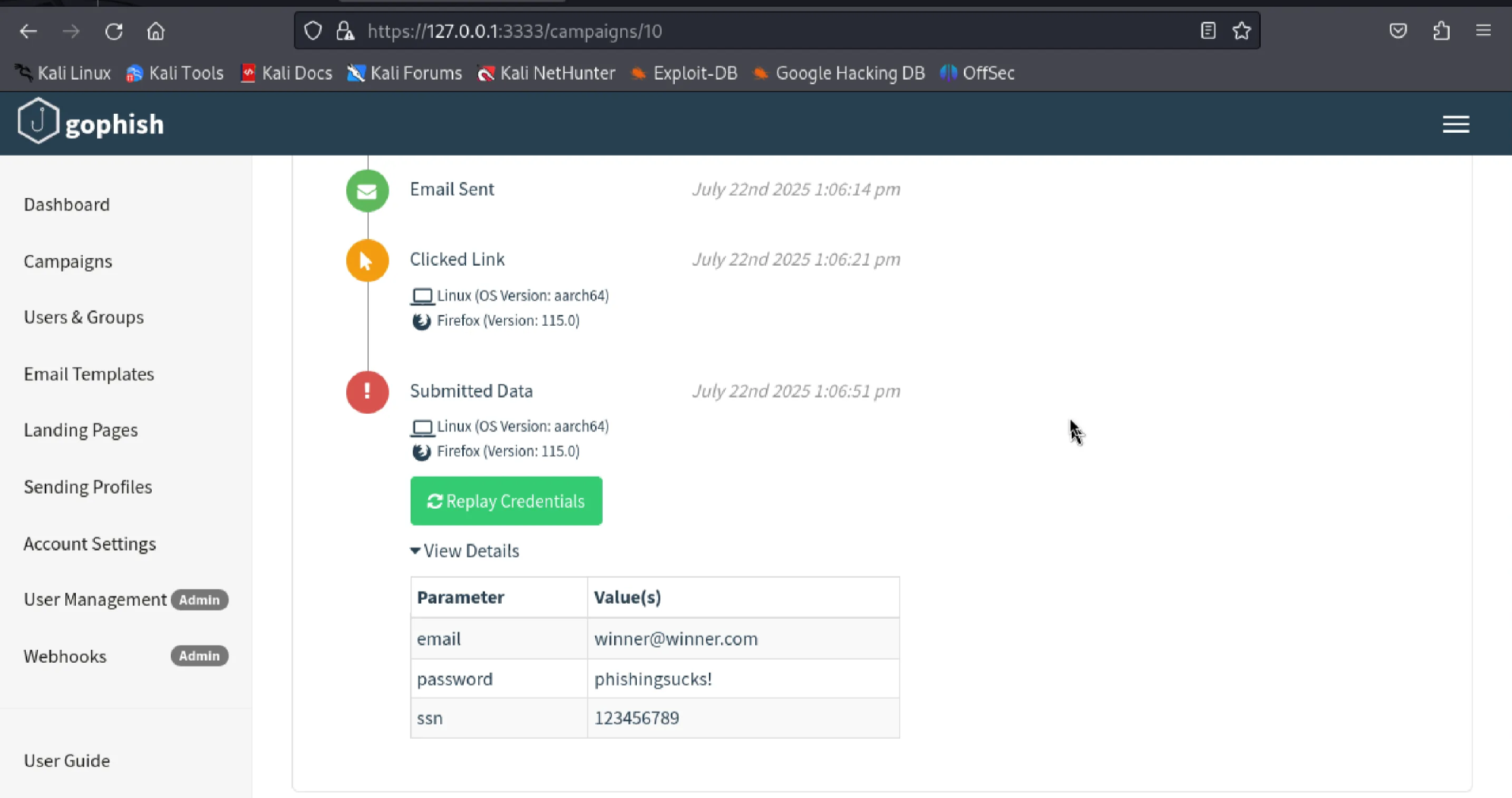
It's pretty cool to see that it’s able to identify the browser the target is using, along with the OS version. Displays the fake credentials I put in clearly.